
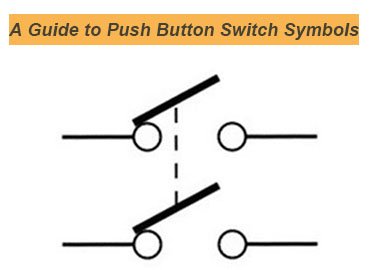
Push buttons are pretty common in every industry. Whether it is home or the commercial sector, you’ll find the actuators that turn on and off the power supply in the circuits.
In the industrial sectors, the routine schedules change the operators and cause them to understand the symbols of switches.
These switch symbols ensure a universal schematic diagram and promise current states of the circuit and switch to avoid any mishaps. Today, we will discuss various types of push button symbols and understand how they can help you out.
What is a Push Button Switch?
A push button switch is an electromechanical switch that needs manual operation to turn on/off the switch. The mechanical actuations keep the circuit in control.
There are two main categories. A latch switch that keeps the circuit in the new position until you press it again. While a momentary switch comes back to the default position when released.
Different push button switches have different positions and opening and closing patterns of circuits.
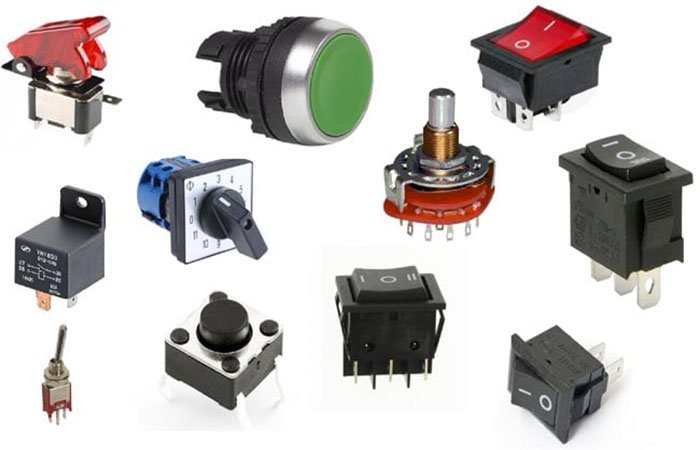
The Importance of Push Button Switch Symbols
Push button Switch symbols are necessary to understand, as they are helpful.
Clear Identification
Switch symbols clearly indicate the circuit types. For example, an NC switch is depicted differently from an NO switch. Similarly, it is easier to find out latching and momentary switches.
Prevent Wiring Issues
Accurate symbols prevent wrong wiring connections and avoid equipment damage. It ensures the safety of your system.
Improve Efficiency
There is no need to waste hours identifying faults. Symbols can clearly tell the issue and help resolve it faster. It improves efficiency and provides comprehensive services.
Ensure Compliance
Many international and local authorities require symbolic representation. Standards like IEC 60617 and ANSI/IEEE define how the symbols should be. The universality and compliance make technical work smooth among engineers.
Simplify System Design
Operators and engineers don’t have to read through the long texts and statements regarding circuits and switches. A straightforward symbolic depiction gives a clear message about circuit position, control logic, and electrical behavior. It simplifies the design and makes understanding even better.
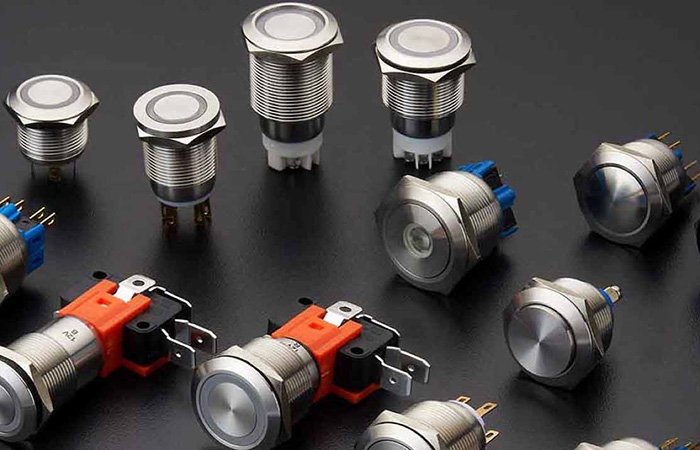
Push Button Switch Symbols: Comprehensive List
| Push Button Switch | Meaning | Function | Image |
| Normally Open (NO) | There are two straight lines. A prominent gap is between them. | You press the button and circuit closes. | 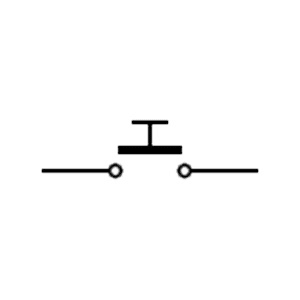 |
| Normally Closed (NC) | Two lines touching the gap between between | Circuit opens when you press the button | 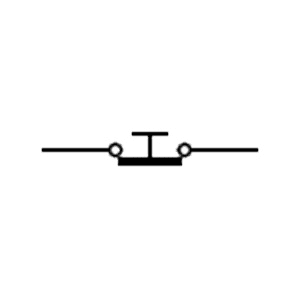 |
| Momentary Switch | It is like the NC/NO symbols but with momentary switch | Remains active when button remains pressed. Releasing brings the circuit back to its previous state. | 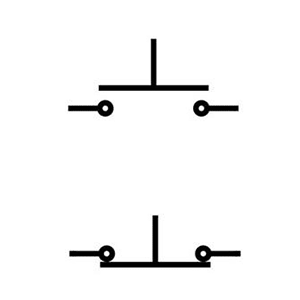 |
| Double-Pole Single-Throw (DPST) | Two parallel lines, each with a gap or connection | You can control two circuits simultaneously | 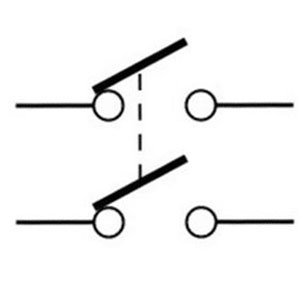 |
| Double-Pole Double-Throw (DPDT) | Different paths of two rows | It turns on/off two circuits between paths | 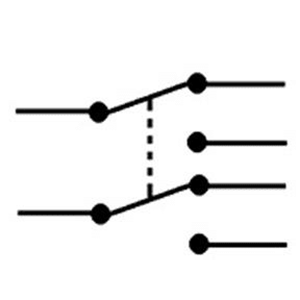 |
| Pushbutton with Delayed Action | Two lines with a gap and time delay system. | Activates or deactivates after you have set specific time. | 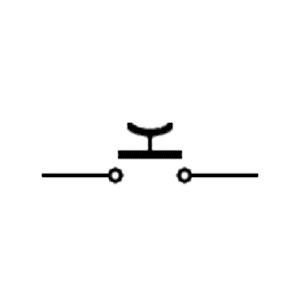 |
| Mushroom Head Pushbutton | An E-stop button with a large rounded button | Press to stop operations in emergencies. | 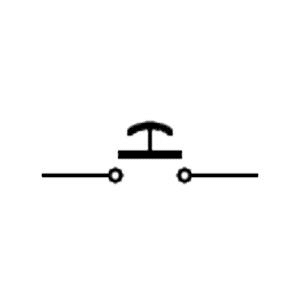 |
| Maintained Contact One Double Circuit | This switch engages two circuits. | Keeps both circuits closed after being pressed for continuous operation. | 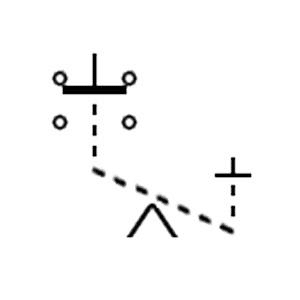 |
| Maintained Contact Two Single Circuits | A button contacts two circuits | Keeps each circuit engaged with independent approach after pressing. | 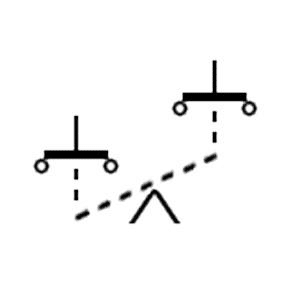 |
| Fast Closing Pushbutton | It has arrows or lines indicating rapid closure | It offers quick activation. immediate connection is needed | 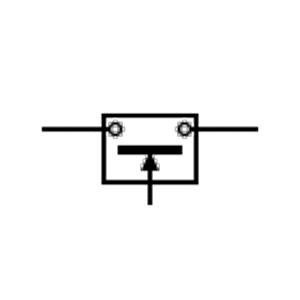 |
| Fast Opening Pushbutton | Symbol with arrows or lines indicating rapid disconnection. | Enables swift disconnection, used in systems requiring fast disengagement/emergency stopping. | 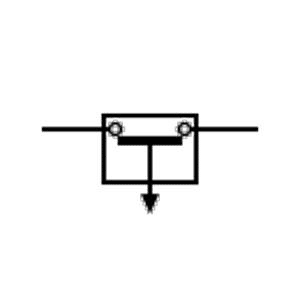 |
| Pull Cord Pushbutton | Pull cord icon with push button. It indicates activation by pulling. | Pulling cord is safer than pressing a button. | 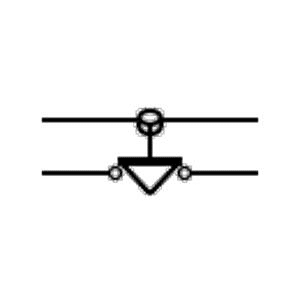 |
| Padlock Pushbutton | A padlock icon near the button. | Designed to be locked in position, preventing unauthorized use or accidental activation. | 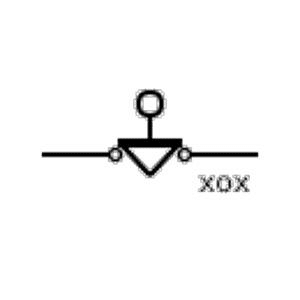 |
| Three-Position Selector Switch | A switch with three stable positions | Allows selection between three modes, e.g., Forward/Off/Reverse or Auto/Manual/Off | 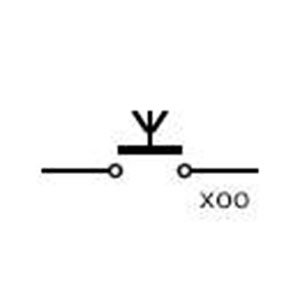 |
| Spring Return Selector Switch | Returns automatically to default when released | Momentary control, jog actions, temporary overrides | 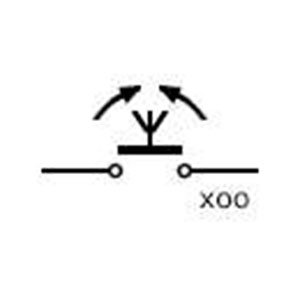 |
| Joystick Switch | Lever that moves in multiple directions, controlling contacts | Directional control for machinery, cranes, hoists, or automated systems | 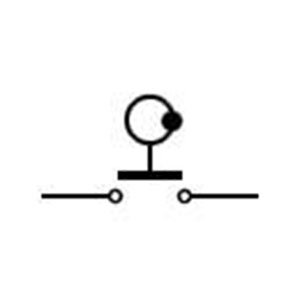 |
| Telegraph Key Switch | Pivoting lever for momentary contact | Sends signals (e.g., Morse code), training simulators, and momentary activation | 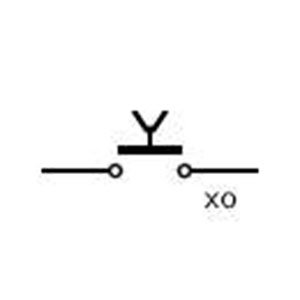 |
| Circuit Switch Pushbutton | Standard pushbutton controlling a circuit | Directly opens or closes a circuit manually on panels or machinery | 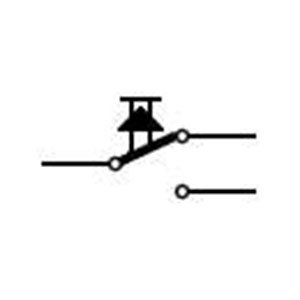 |
Common Mistakes in Push-Button Switch Symbols
There are a few common mistakes in push-button symbols that can cause issues. These include:
NO and NC symbols
Mixing up the NO and NC symbols is a problem. Symbols should depict their default state when not pressed. Slight mistakes can cause mishaps.
Unapproved Symbols
Symbols approved by IEC and IEEE should be used. If you are using unapproved symbols, it will trouble the engineers to understand the symbols properly.
Not Showing Illuminated Circuits
Illuminated circuits require an LED or lamp symbol in addition to normal switch symbols. If you fail to provide it, it will lead to errors during operations.
Forget labelling E-Stop Buttons
E-stop buttons are crucial and need emergency handling. They should have a proper symbol that is universally recognized.
Inaccurate Terminal Numbering
A misnumbered diagram causes the operation failure. You should properly number each terminal and ensure a safe trip.
FAQs
1. Do illuminated push buttons have unique symbols?
Yes, illuminated push-button switches have a distinctive symbol. For example, they have an additional lamp symbol in the switch to show off their illuminated symbol.
2. How are emergency stop (E-Stop) buttons represented in schematics?
E-stop buttons have a distinct symbol, such as a mushroom-shaped actuator, an NC (Normally Closed) contact symbol, and an optional latching indicator. It shows pressing them can turn off the supply in the circuit.
3. Are push-button switch symbols the same across all countries?
No. It depends on the IEC and IEEE usage in the countries. For example, most countries use IEC 60617 and have the universal symbols across their regions. North American regions use the ANSI/IEEE-based symbols and have the same throughout their regions.
4. What standards define push-button symbols?
There are three most common technical standards for push button symbols. For example:
- IEC 60617—international standard for graphical symbols used in diagrams
- ISO 7000—graphical symbols for public information
- ANSI Y32 / IEEE 315—U.S. standard for electrical and electronics diagrams
Conclusion
Understanding push button switch symbols is necessary in many ways, as it can highlight the switch position. Moreover, you can recognize the switch type and function. The universality of switch buttons across countries allows a better understanding of the operators and helps the system operate more efficiently with predefined systems.
 Russia
 English